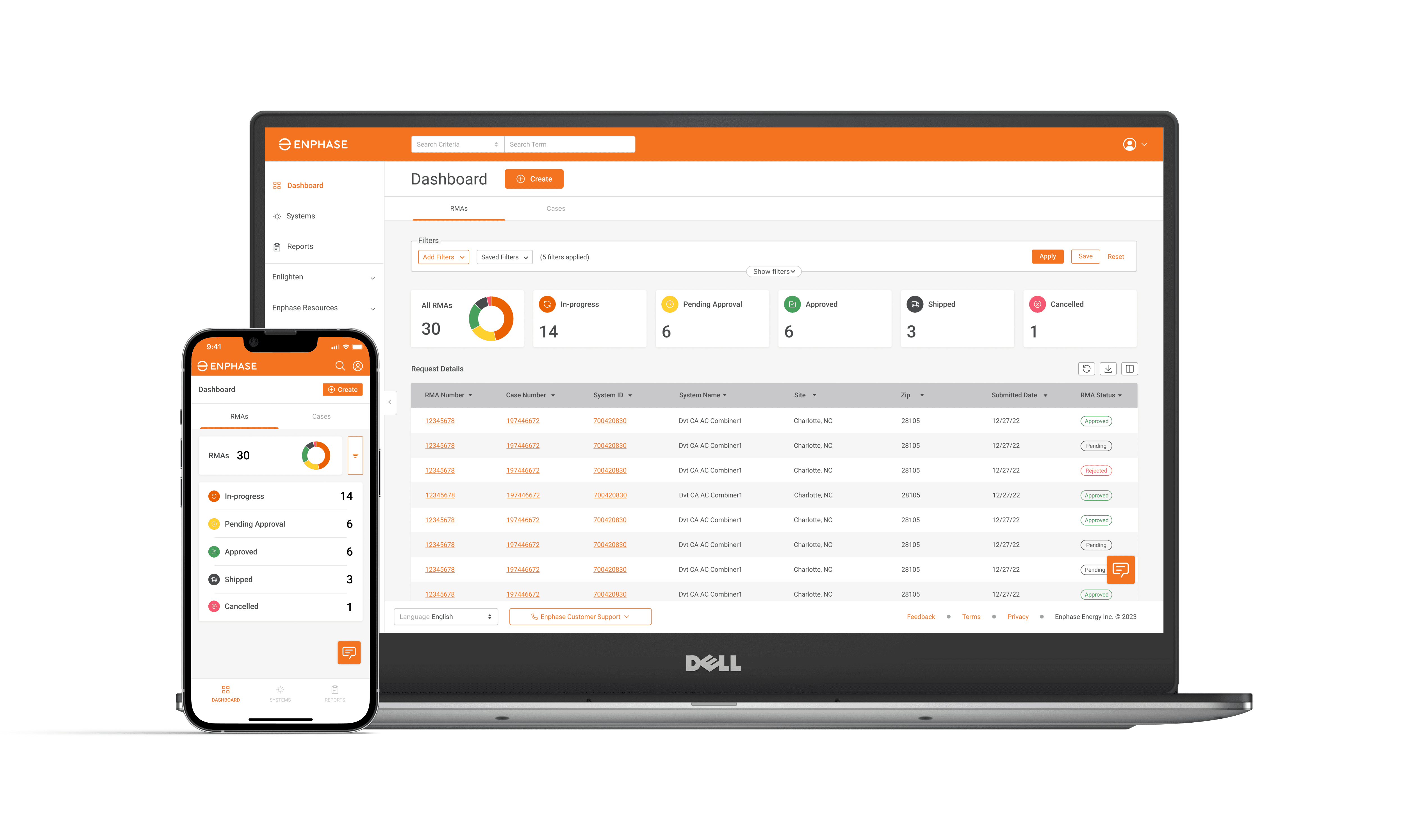
The Enphase Service Manager is a unified platform where installers can create and manage all their support requests. The Enphase Service Manager can be used to create new support requests, track return merchandise authorization (RMA), apply and track labor reimbursements, initiate returns, and more.
This project specifically involved updating the visual design according to visual design guidelines and the information architecture of the site. This also involved creating a new mobile view which did not previously exist.
Role
Lead UX Designer
Timeline
2 + 2 months
Outcome
Successfully shipped V2
Team
PM, CS, Engineering
The Problem
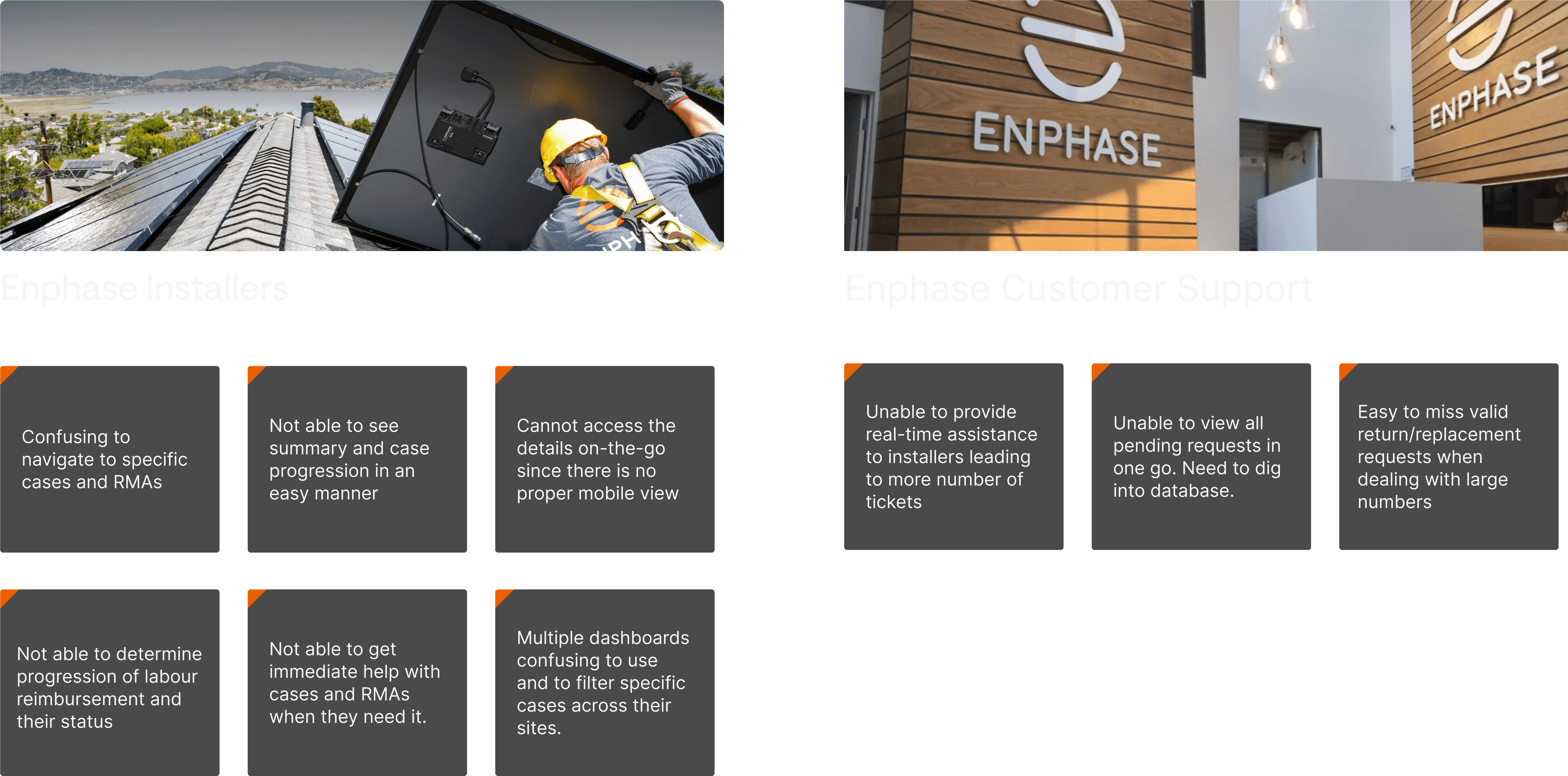
Installers can't find information quickly on the go, so they end up calling Enphase Support for information and status updates.
Background
Different stakeholders across the ecosystem had different problems with the Service Manager, but the main stakeholders were the network of Enphase Installers and the Enphase Support Team, who would work with installers for repair, replacement and warranty.

Feedback from the existing iteration on the Service Manager dashboard was collected from installer complaints and feedback forms on the website.
A few good things in the existing design that can be kept
Search functionality is very useful.
Filter type design on the dashboard cards makes it easier to sort RMAs

01 - Existing dashboard screens
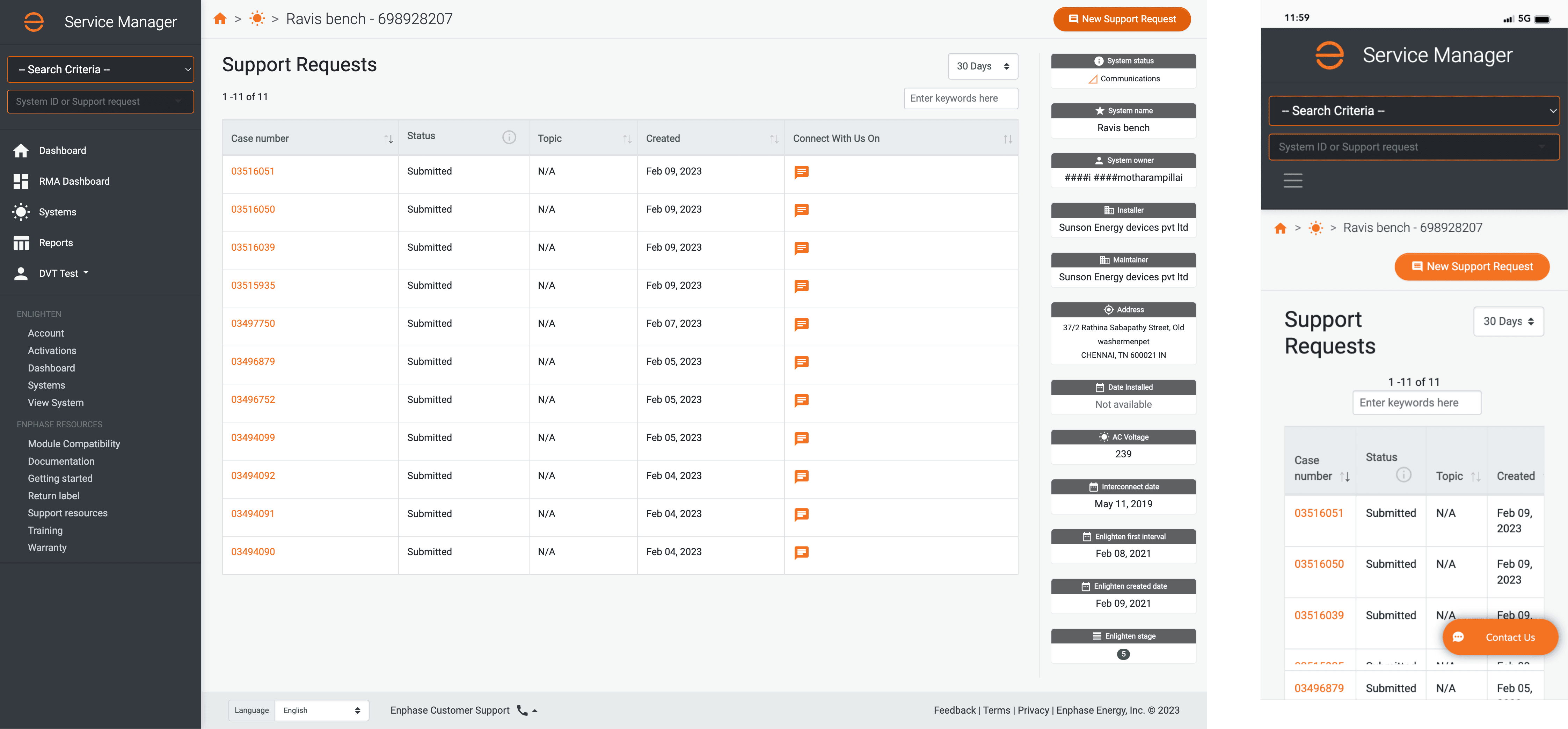
The existing dashboard and mobile screen doesn't follow any of the brand guidelines and have a non-designed mobile view

02 - List of systems
The tables are not converted properly on the mobile views and is not responsive

Constraints
Topic | Existing design | Proposed design |
|---|---|---|
Platform | Ruby on Rails | React |
LAF/Visual design | Inconsistent with brand | Consistent with brand |
Mobile View | Not designed; pages break | Designed for full desktop functionality |
Functionality | To be kept similar to avoid confusion while also implementing new features | |
Timeline | Management wanted the launch to be done in 4 weeks before the EoQ | |
Information Architecture
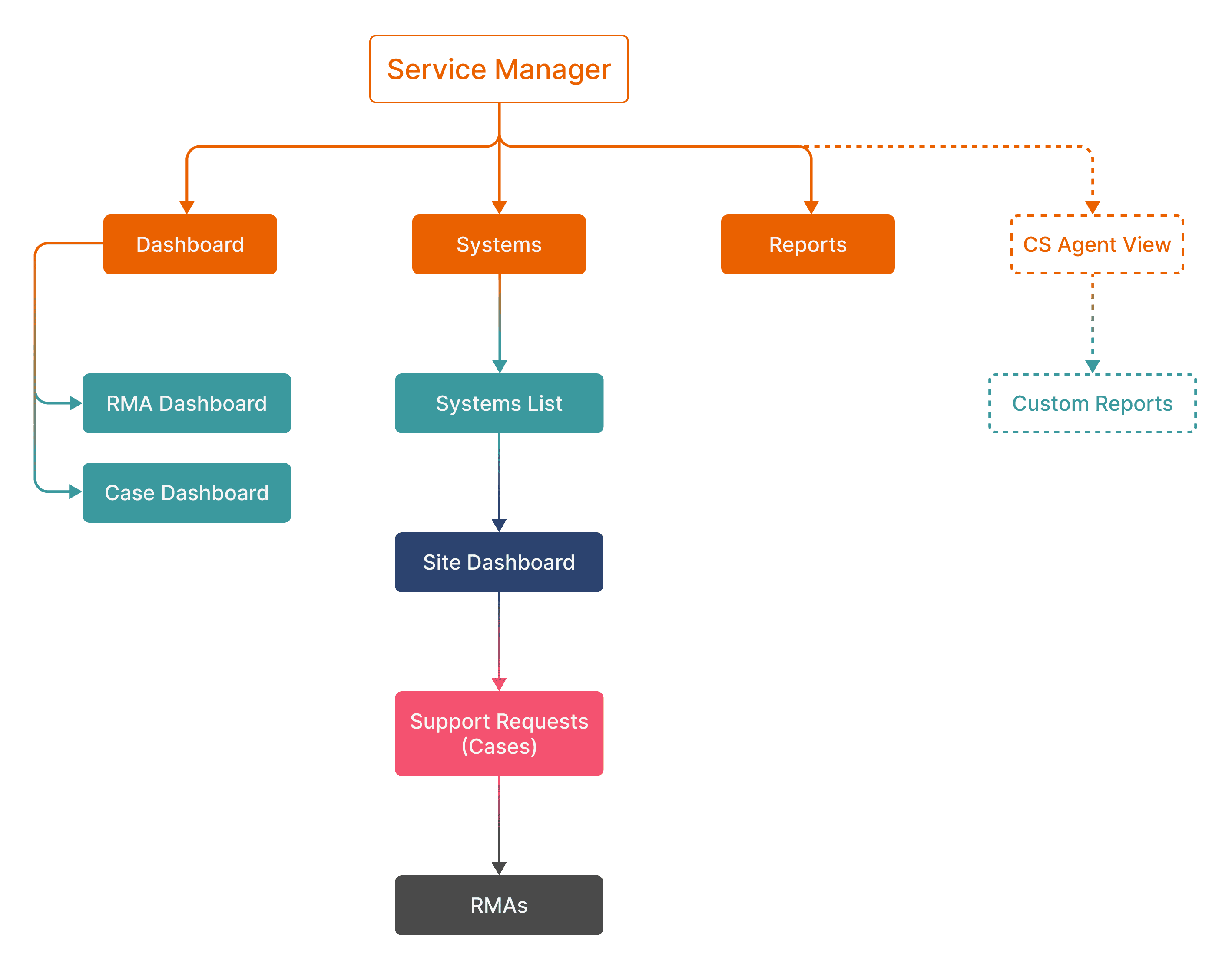
The IA of this dashboard was redesigned to make it more linear, where subsequent discovery from Systems leads to Cases, then RMAs for all the sites. Actions can be done on each of these pages inside systems.
Concept Designs
Several concepts for the dashboard/table designs were proposed and heuristically evaluated to further refine them.
These were also presented to stakeholders who provided feedback on functionality, feasibility and design, which was incorporated in further iterations.

Concepts
These were some explorations that were created initially while exploring the different data types to be shown and the functionality that emerged from the earlier version of the dashboard. Too much of visuals were scrapped to keep the dashboard minimal and functional.
Dashboard
The dashboard gives you key metrics on the RMAs and Cases, which are housed in different tabs. The cards also act as filters, and clicking on the cards filters the list of RMAs or cases.


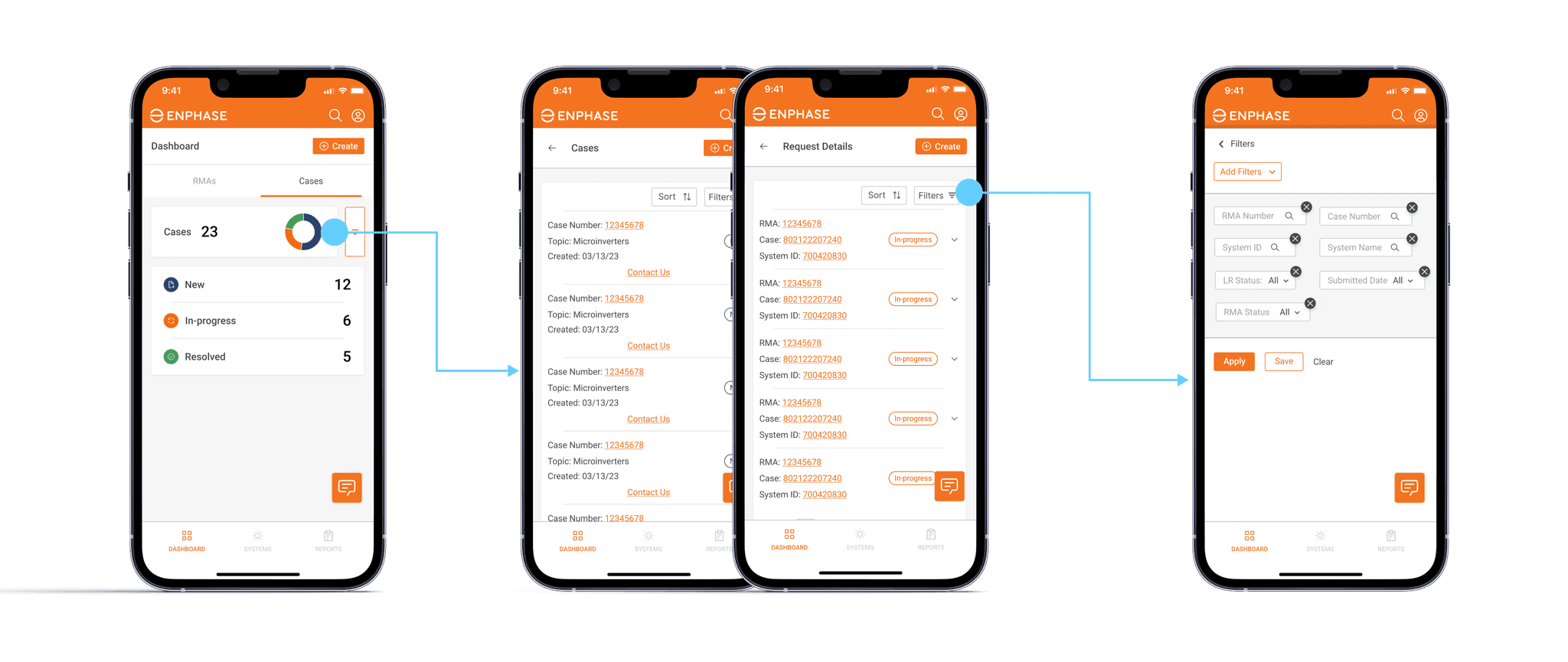
Dashboard - Mobile View
On the mobile view, clicking on the cards leads to this list of cases and request details, which can be expanded to show more details. The filters themselves are housed in a separate full-screen pop-up.
System List and Site Dashboard
The listing page provides an expansive list of sites that are commissioned by the installer, and the site dashboard gives an overview of each specific site, such as site status, important dates and case list of the site.


Case and RMA Details, RMA Actions
Case and RMA details delve deeper into the RMA and give details for the case, assignee and details. It also details the list of RMAs (in case details) and defective device details in RMA details. For the mobile view, the detail cards are expandable to ensure all content is visible at the same time.

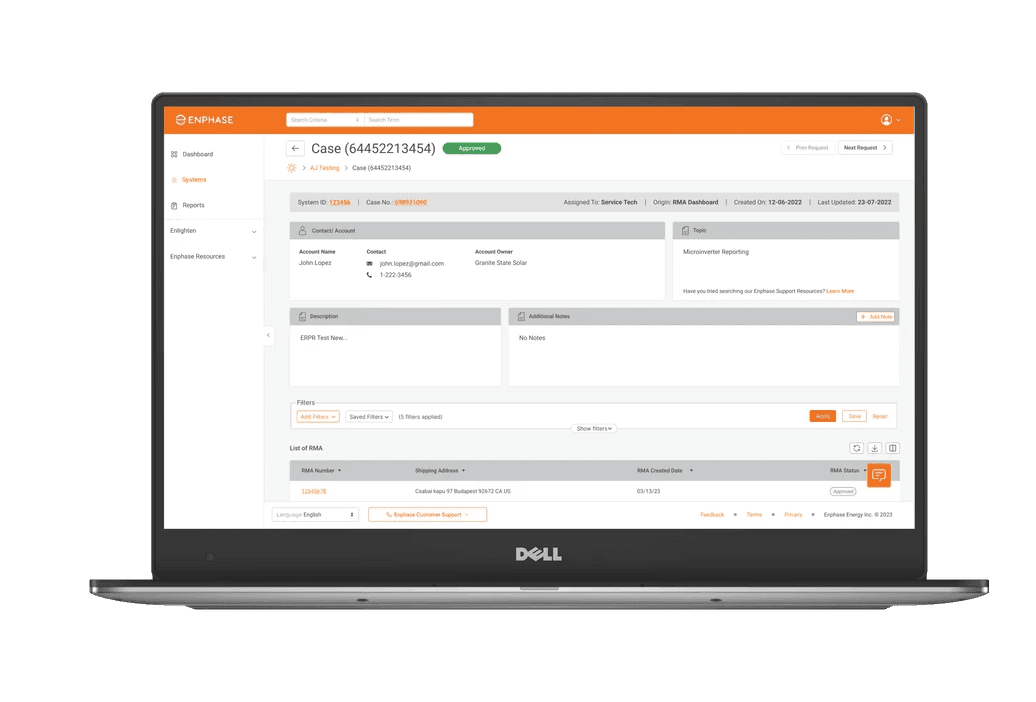

RMA and Case Details - Mobile View
This was also designed in a responsive way which did not exist before
Live Chats and Offline Comments (Beta)
For selected installers, this feature is being rolled out on a regional basis (currently out in US markets). This allows the installer to chat with agents live or for the conversation to happen offline in the form of comments.

Live Chat and Comments
When agents are online, this turns into a chat box and when offline, the chats turn into offline comments that can be accessed at any time and notified to the installer

Live Chat and Comments
It lives on the individual case details page and is contextual to that particular case. There is also plan to replace it with an AI-assisted chat
Reports and RMA tracker
Installers can generate different reports based on date or date ranges for specific sites or for all sites. RMA tracker can be used to track the status of ongoing RMAs


